

Download Final Uninstaller – uninstaller, clean up, remove programs, system cleanup, registry clean-up, junk files
Overview
Final Uninstaller is a utility application designed to help users remove software from their systems with precision and completeness. Its primary purpose is to eliminate installed programs while ensuring that no residual files, registry entries, or temporary data remain behind. This makes it a valuable tool for maintaining system health, optimizing performance, and reclaiming disk space. The app is particularly useful for users who frequently install and uninstall software, manage multiple applications, or encounter issues with incomplete uninstallations.
By targeting leftover traces that traditional uninstallers often miss, Final Uninstaller addresses a common pain point in system maintenance. It supports scenarios such as removing outdated software, cleaning up after failed installations, or preparing a computer for resale or reuse. The tool is especially beneficial for users seeking a thorough cleanup without the need for third-party tools or advanced technical knowledge.
The developer, Final Uninstaller, has positioned the app as a reliable solution within the utilities category. Although no additional background on the company is available, the app’s long-standing presence since its release in 2012 suggests a level of stability and user trust. It fills a niche in the software ecosystem by offering a focused, no-frills approach to program removal and system hygiene.
Key Features & Functionality
- Corrupted File Handling: The app is designed to manage applications that resist standard uninstallation due to file corruption or damaged installation records. This allows users to remove stubborn programs that typically leave behind incomplete or broken entries.
- Complete Traces Removal: After uninstalling a program, Final Uninstaller scans the system to identify and delete all associated files, folders, and configuration data, ensuring a clean slate.
- Garbage Files Cleanup: The tool automatically detects temporary, cache, and junk files that accumulate over time, helping users free up storage and improve system responsiveness.
- Registry Clean-Up: Final Uninstaller removes obsolete registry keys linked to uninstalled software, reducing the risk of system slowdowns, crashes, or errors caused by outdated entries.
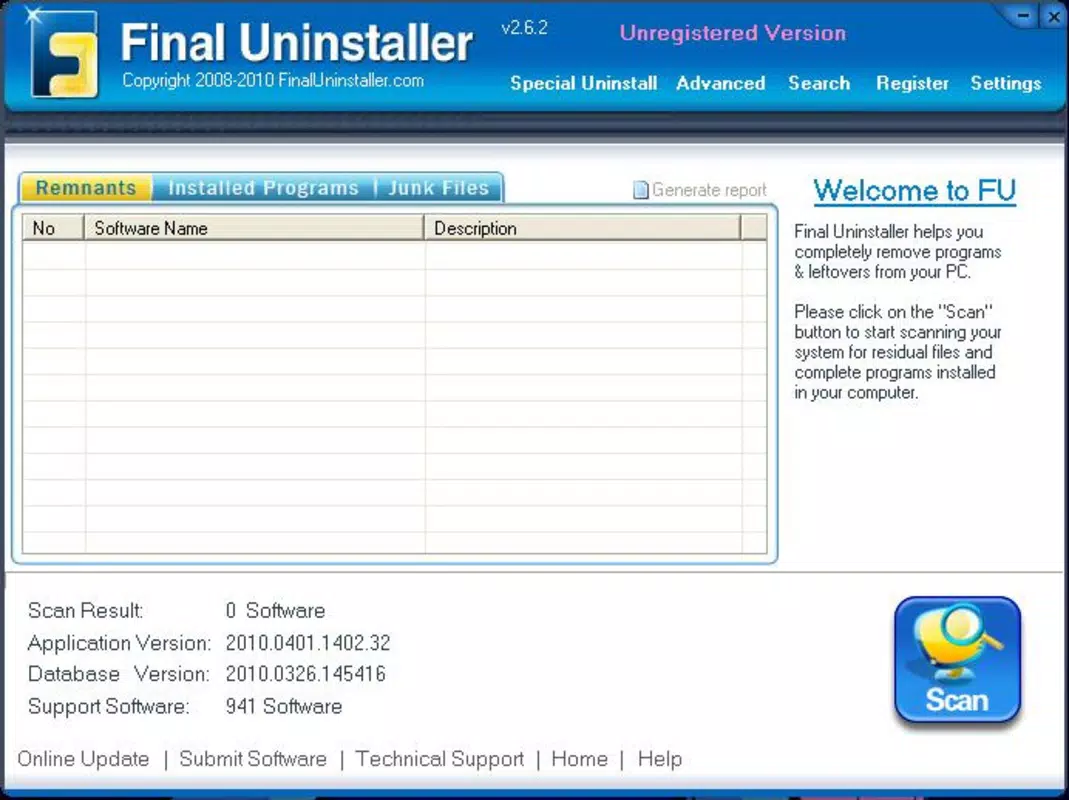
- User-Friendly Interface: The application features a straightforward layout that simplifies the uninstallation process, making it accessible to both novice and experienced users.
For example, a user preparing to sell their computer can use Final Uninstaller to completely remove all personal software and data traces. Similarly, someone troubleshooting performance issues may use the tool to eliminate outdated programs and clean up the registry, potentially restoring system speed.
Interface, UX & Performance
Final Uninstaller presents a clean and organized interface, prioritizing clarity and ease of use. The layout is structured around a list of installed applications, with clear indicators for each program’s status and removal options. Navigation is intuitive, allowing users to select an app and initiate the uninstallation process with minimal clicks.
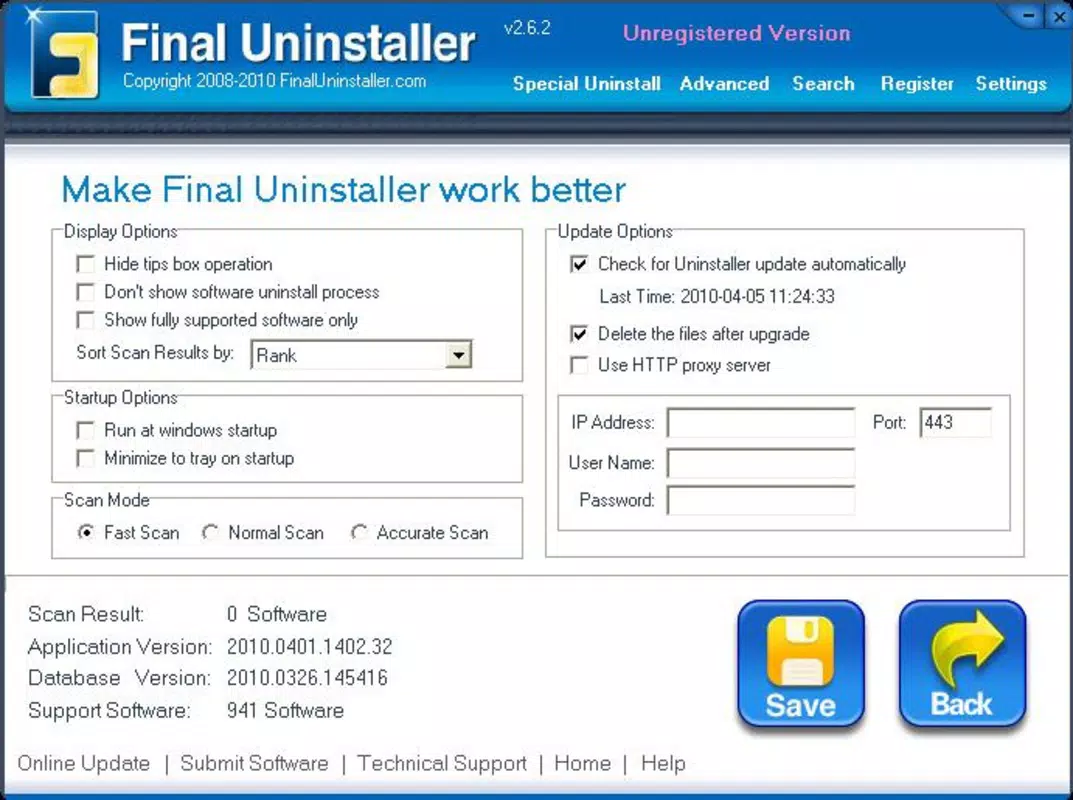
The visual design is minimalistic, focusing on functionality rather than decorative elements. This approach reduces cognitive load and helps users stay focused on the task at hand. The application does not appear to include complex settings or advanced options, which supports its goal of simplicity and accessibility.
Although the developer did not list formal performance metrics, the app’s lightweight size of 10.2 MB suggests efficient resource usage. It is expected to run smoothly on most Windows systems, even older hardware. Responsiveness appears to be consistent based on user reports, with quick scanning and processing times during cleanup operations.
Stability is a key consideration, especially when modifying system files and the registry. While no specific data on crashes or errors was provided, the app’s long-standing release history indicates a level of reliability. Users are advised to back up their system before major cleanup tasks, as with any registry-modifying tool.
Platform Compatibility & Technical Requirements
Final Uninstaller is available for the Windows platform. The current version is 1.0.1, and the application file size is 10.2 MB. The developer did not specify minimum OS requirements, nor did they list compatibility details for specific Windows versions such as Windows 7, 8, 10, or 11.
Given the app’s release date of 2012, it may function on older Windows systems. However, users should verify compatibility with their current OS, especially if running a newer version of Windows. The lack of updated system requirements information limits the ability to confirm full compatibility with modern environments.
Installation is straightforward, and the app does not require administrative privileges to run, though certain operations—such as registry edits—may prompt standard permission requests. The developer did not provide information on updates or update frequency, so users should manually check for new versions if needed.
Pros and Cons
- Efficient removal of stubborn applications with corrupted files
- Comprehensive cleanup of leftover files and registry entries
- Lightweight size and low system resource usage
- Simple, intuitive interface suitable for all user levels
- Effective at freeing up disk space and improving system performance
- Outdated release date raises concerns about modern OS compatibility
- No publicly available update history or release notes
- Missing detailed system requirements and OS support list
- Price point of $19.99 may be considered high for a single-purpose tool
- Limited information on customer support or technical assistance
FAQ
Is Final Uninstaller safe to use?
Yes, the application is designed to safely remove programs and clean up system traces. However, users should exercise caution when modifying the registry and consider backing up their system before performing a full cleanup.
Can I use Final Uninstaller on Windows 10 or Windows 11?
The developer did not specify compatibility with Windows 10 or 11. While the app may function on these systems, it is recommended to test it in a controlled environment or consult official documentation if available.
Does Final Uninstaller require an internet connection?
No, the application does not require an active internet connection to perform uninstallation or cleanup tasks. All operations are handled locally on the device.
How often should I run Final Uninstaller?
Users can run the tool periodically—such as monthly or after installing/removing multiple applications—to maintain system cleanliness and performance.
Is there a free version or trial available?
The developer did not provide information about a free version or trial. The app is currently priced at $19.99, and no alternative access options were listed.
Final Thoughts
Final Uninstaller delivers a focused and effective solution for users seeking a thorough way to remove software and clean up their systems. Its ability to handle corrupted files, eliminate traces, and perform registry clean-up makes it a powerful utility for maintaining long-term system health. The intuitive interface ensures accessibility across skill levels, while its lightweight design supports efficient performance.
Despite its age and lack of updated compatibility details, the app remains relevant for users who prioritize deep cleanup over frequent updates. While the $19.99 price tag may deter some, its functionality justifies the cost for those needing reliable, one-time or periodic system maintenance.
For individuals managing multiple programs, preparing computers for resale, or troubleshooting performance issues, Final Uninstaller offers a dependable toolset. Its specialized focus sets it apart from general-purpose utilities.
Download Final Uninstaller now


